If you live in Bangladesh, have family there, or are preparing to work abroad, you have probably heard the word "Surokkha" many times. It is the name of the government's online platform for COVID-19 vaccine registration, introduced in 2021 and available at surokkha.gov.bd. Questions about it still come up today, especially from people who need a vaccination record for travel, work or study.
This guide explains how Surokkha registration generally works, in plain language. We are an independent information website, not the platform itself, so we cannot register you, see your records or fix problems for you. What we can do is explain the process, the documents you are likely to need and the common mistakes to avoid, so that when you visit the official portal you know what to expect. Steps, menus and eligibility rules can change over time, so always treat the official portal as the final word.
Key takeaways
- Surokkha registration is done only on the official portal at surokkha.gov.bd. No app store listing, social media page or agent is needed to register.
- You typically register with one identity document: a National ID (NID), a passport or a birth registration number, depending on your situation.
- An active mobile number is usually needed to receive a one-time password (OTP) and later SMS updates. Never share that OTP with anyone.
- After registering, keep your registration card (paper or PDF) and bring it, with your ID, to the vaccination centre.
- Rules, categories and screens have changed since 2021 and may change again. Confirm current steps on the official portal before you start.
What the Surokkha platform is
Surokkha was launched in 2021 to organise COVID-19 vaccination across Bangladesh. Instead of queuing at a hospital to be added to a list, people could register online, choose a vaccination centre and receive an SMS when it was their turn. Once doses were recorded, the same platform made it possible to download a digital vaccine certificate with a QR code that others can scan to check it.
The platform is run by the government, with the Directorate General of Health Services (DGHS) responsible for the health side of the programme. Surokkha Guide has no connection to it. Many unofficial websites and apps with similar names have appeared since, so the safest habit is to type the official address yourself.
Who can register
Eligibility has changed a great deal since the platform opened. In the early phase, registration was limited to priority groups such as frontline workers, older adults and people with certain health conditions. Over time, age limits were lowered and more groups became eligible, including students and, later, children within certain age ranges using birth registration numbers.
Because these rules moved in stages, we do not list exact age cut-offs here. The categories shown on the portal are the best guide to who can currently register; if unsure, ask at your nearest government health facility.
Which ID you can use
The platform has generally accepted three kinds of identity document. Which one you use matters, because the details on your certificate later will come from the ID you register with.
| ID type | Who typically uses it | Things to keep in mind |
|---|---|---|
| National ID (NID) | Most adult citizens living in Bangladesh | Your name and date of birth must match your NID records exactly. |
| Passport | Bangladeshis without an NID, people living abroad, some foreign nationals | Useful if you need your passport number on a certificate for travel. |
| Birth registration number | Children and young people who do not yet have an NID | The online birth record must be valid and match the details you enter. |
If you are planning to travel or work abroad, think about this choice before you register. Many travellers want their passport number to appear on their certificate. We explain the options in more detail in our guide to registering with a passport or birth registration.
What you need before you start
Having everything ready makes registration quicker and reduces errors. Typically you will need:
- Your identity document (NID, passport or birth registration certificate) so you can copy the number and details exactly.
- Your date of birth exactly as it appears on that document.
- An active mobile number that can receive SMS. Use a number you will keep, because later messages and, in some flows, certificate downloads may rely on it.
- Basic information such as your address area, so the system can suggest nearby centres.
- A device with internet access, or help from someone you trust, such as a family member or a government Digital Centre.
If you have health conditions you are asked about, answer honestly. The questions help the vaccination team, and a qualified health professional at the centre is the right person to discuss any concerns with.
Surokkha registration step by step
The exact wording and order of screens has changed over time, so use the steps below as a general outline rather than an exact script.
- Go to the official portal. Type surokkha.gov.bd into your browser. Check that the address is correct and that you are not on a look-alike site.
- Choose the registration option. The home page typically offers several options, such as registration, the vaccine card, the certificate and verification. Select the one for registration.
- Select your ID type and category. Choose NID, passport or birth registration as appropriate, and pick the category that matches your situation.
- Enter your details. Type your ID number and date of birth carefully. The system may check them against official records and show your name.
- Verify with OTP. Enter your mobile number and wait for the one-time password by SMS. Type it into the portal. This code proves the number is yours; it is not something anyone else should ever ask for.
- Choose a vaccination centre. Select your division, district and area, then pick a nearby centre from the list shown.
- Review and submit. Check every detail once more before confirming. Spelling mistakes are much easier to avoid than to correct later.
- Save your registration card. After submitting, you can usually view and print a registration card (sometimes called the vaccine card). Save a PDF and, if possible, print a copy.
- Wait for the SMS. When a date is available, you are typically informed by SMS with your centre and schedule.
Only the official portal can register you, schedule your dose or issue your record. Surokkha Guide cannot do any of these things.
What happens at the vaccination centre
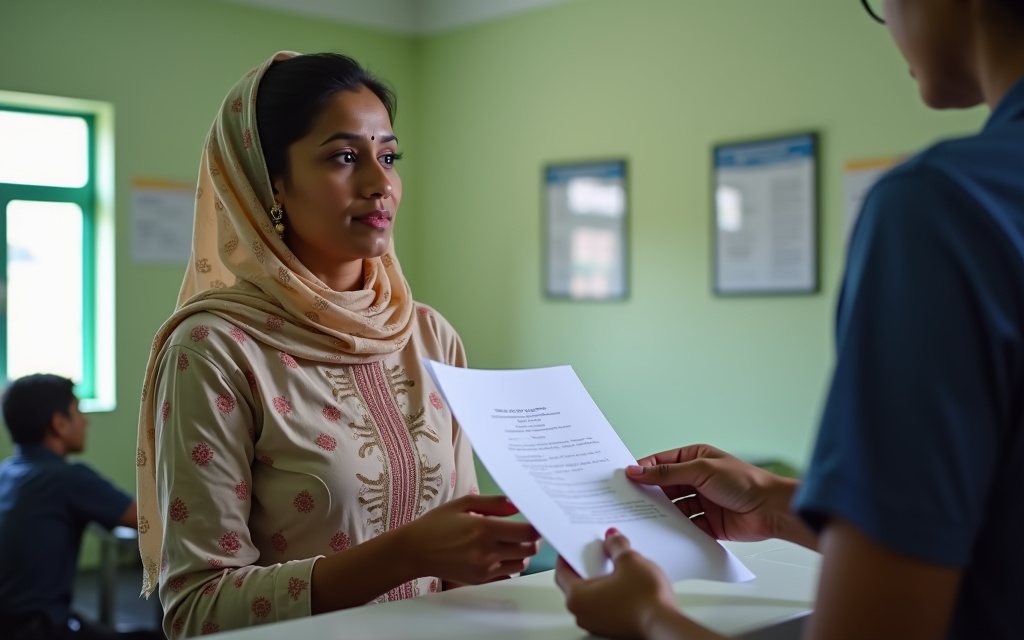
On the day, bring your registration card, the original ID you registered with and the phone that received your SMS. Staff will usually check your details, confirm your identity and record the dose. You may be asked a few health questions and advised to wait for a short observation period afterwards, which is a routine safety step in vaccination programmes worldwide.
If you feel unwell, have allergies or have questions about whether a vaccine is suitable for you, tell the staff. They can advise you or refer you to a doctor. We cannot give personal medical advice, and nothing on this site replaces a conversation with a qualified health professional. See our disclaimer for more.
Some people also receive a dose card at the centre. Keep it safe, because it can help if your online record ever needs correcting. Our guide to the vaccine card vs vaccine certificate explains the difference.
After registration: your certificate
Registration and the certificate are two different things. Registration puts you in the system; the certificate is issued after your doses are recorded. Once that happens, you can typically download a surokkha vaccine certificate from the portal using the same ID you registered with. It can take some time for records to update after a dose. Our step-by-step guide on how to download your Surokkha vaccine certificate covers this stage in detail.
Common problems and what they usually mean
"Information not found" or an ID mismatch
This usually means the number or date of birth you entered does not match official records. Check for typing errors first, especially the date format. If your NID or birth record itself contains a mistake, that record may need correcting through the relevant authority before registration works.
The OTP does not arrive
SMS delivery can be delayed by network issues or a full inbox. Wait a few minutes, check that the number is typed correctly and try again. Avoid requesting many codes in a row, as some systems limit repeated attempts.
Your name is spelled differently on different documents
Differences between your NID and passport are very common and can cause trouble when travelling. Read our guide to correcting errors on your vaccine certificate before you contact anyone.
Staying safe: fake sites, apps and fixers
Registration on the official portal has been free for the public. Be cautious of paid "fixers" who offer to speed up registration or supply a certificate for a fee; they may misuse your data, and a certificate not issued by the official system can cause serious problems at airports or with employers.
- Never share your OTP with anyone, including people who say they work for a health office or telecom company.
- Do not send photos of your NID, passport or birth certificate to strangers online.
- If a shop or Digital Centre helps you, watch the process and check your details and phone number.
Frequently asked questions
Is Surokkha registration free?
Registration on the official portal has been free for the public. If someone asks you to pay to register, schedule a dose or receive a certificate, treat it as a warning sign and check directly on surokkha.gov.bd or at a government health facility.
Can I register without a National ID card?
Generally yes. The platform has accepted passports and birth registration numbers as alternatives for people who do not have an NID. Which option is available to you can depend on your age and circumstances, so check the options shown on the official portal.
Can Surokkha Guide register me or check my status?
No. Surokkha Guide is an independent information website with no access to the official system. We never ask for your ID number, date of birth or OTP. Please use the official portal for all registration and certificate tasks.
What if the steps on the portal look different from this guide?
That is possible, because menus and rules have changed since 2021 and may change again. Follow the instructions on the official portal and treat our guide as general background. If you spot something out of date, you can tell us and we will review it.